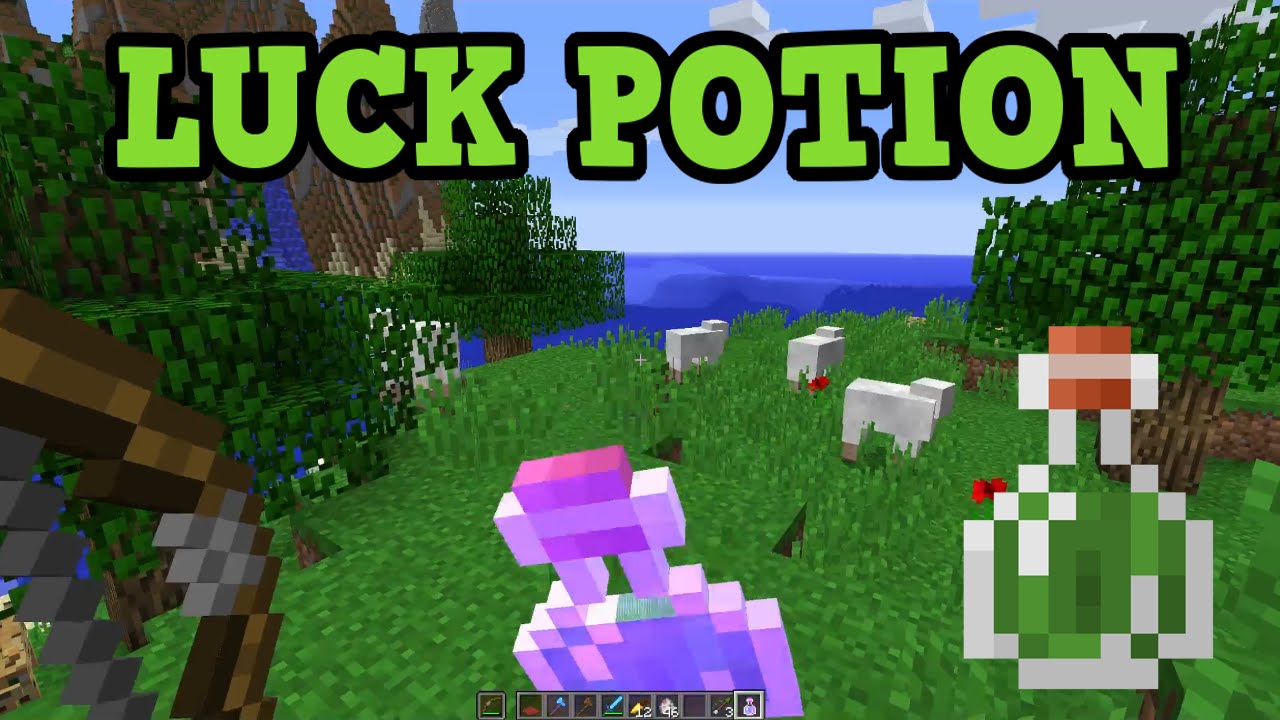
If you’ve spent any time digging through Minecraft’s brewing stand recipes hoping to whip up a Potion of Luck the same way you’d make a Potion of Strength or Fire Resistance, you’ve probably hit a wall. There’s no cauldron combo, no secret ingredient hiding in a swamp hut, and no amount of blaze powder that will get you there. And that’s honestly the most confusing part of this whole topic — most guides jump straight into “here’s how to brew it” without explaining why the normal brewing process doesn’t work here at all.
So let’s clear the air first, then walk through every legitimate way to actually get your hands on a Potion of Luck, whether you’re playing Java Edition, Bedrock Edition, on a server, or just messing around in a single-player world with cheats enabled.
By the end of this guide, you’ll understand exactly what the Potion of Luck does, why Mojang designed it the way they did, every method for obtaining it depending on your platform, and how to actually put that Luck effect to good use once you have it.
What Exactly Is the Potion of Luck?
The Potion of Luck is a special, non-craftable potion in Minecraft that grants the player the Luck status effect. This effect quietly improves the quality of loot you get from a handful of specific in-game systems:
- Fishing — better odds of reeling in treasure items like enchanted books, saddles, or name tags instead of junk like leather boots or bowls.
- Chest loot generation — improved odds when opening certain loot chests in structures like dungeons, mineshafts, and temples.
- Bartering with Piglins — slightly better results when trading gold ingots with Piglins in the Nether.
Unlike offensive or defensive potions (think Potion of Fire Resistance or Potion of Healing), Luck doesn’t do anything flashy. There’s no particle explosion, no visible buff bar countdown that screams “I’m powerful now.” It works quietly in the background, nudging loot tables in your favor. That subtlety is part of why so many players don’t fully understand it — you can’t “feel” it working the way you can feel a Speed potion.
The effect has a counterpart too: Bad Luck, which comes from drinking a Potion of Bad Luck (or getting it via commands) and does the opposite — it worsens your loot odds. You won’t stumble into a Bad Luck potion naturally, but it exists in the game’s data for the same command-based reasons Luck does.
Why You Can’t Brew It the Normal Way
Here’s the part most tutorials skip over. Every other potion in Minecraft — Strength, Weakness, Invisibility, Slow Falling, you name it — follows the standard brewing stand progression: start with a Water Bottle, add a base ingredient (like Nether Wart) to make an Awkward Potion, then add a secondary ingredient (like a Glowstone Dust, Rabbit’s Foot, or Spider Eye) to get your final effect.
The Potion of Luck breaks that entire chain. There is no combination of brewing stand ingredients — not Rabbit’s Foot, not Emeralds, not anything — that produces it. Mojang intentionally left this potion out of the standard crafting/brewing progression. It exists purely as what’s sometimes called a “technical” or “command-only” item in Java Edition.
Why would the developers do this? A few reasons floated around by the community and semi-confirmed through Mojang’s own design commentary:
- Balance concerns — Luck effects that stack with fishing and loot systems could be seen as too easily exploitable if survival players could brew unlimited batches.
- Legacy design leftovers — The Luck effect was added to the game’s codebase before Mojang decided exactly how players should access it, and the loot-table integration in Bedrock Edition became the “intended” path instead of brewing.
- Encouraging exploration over farming — By tying the potion to underwater ruins and shipwreck loot (in Bedrock), Mojang pushes players toward exploring structures rather than sitting at a brewing stand indefinitely.
Whatever the reasoning, the practical result is the same: if you’re playing vanilla Survival mode on Java Edition with cheats turned off, you cannot obtain a Potion of Luck through normal gameplay. Full stop. Your options are commands, Creative Mode, or — if you’re on Bedrock — finding one as loot.
Method 1: Getting Potion of Luck Through Commands (Java Edition)
If you’re playing Java Edition and have cheats enabled on your world (or you’re running a server where you have operator permissions), commands are the most direct route. There are two ways to do this depending on whether you want the actual potion item or just the effect itself.
Option A: Give Yourself the Effect Directly
If you don’t care about having a physical potion bottle and just want the Luck effect applied to your character, use the /effect command.
Step-by-step:
- Open the chat window by pressing
/orT(then type your slash command). - Type the following command:
/effect give @p minecraft:luck 300 1 - Press Enter.
Let’s break down what each part of that command means:
@ptargets the nearest player (you, if you’re alone). You can replace this with your username or another selector.minecraft:luckis the effect ID.300is the duration in seconds (300 seconds = 5 minutes). Adjust this to whatever length you want.1is the amplifier, which controls the effect level.0is Luck I,1is Luck II, and so on. Higher amplifiers stack the loot bonus further.
This method is fast and doesn’t require you to manage an inventory item, but it also means you can’t give the potion to a friend or store it for later — it applies instantly and starts ticking down right away.
Option B: Spawn the Actual Potion Item
If you want an actual bottle you can carry around, drink later, or hand off to another player, use the /give command instead.
Step-by-step:
- Open your chat window.
- Enter this command:
/give @p minecraft:potion{Potion:"minecraft:luck"} 1 - Hit Enter, and the potion should appear directly in your hotbar or inventory.
If you’re on a newer version of Minecraft (1.20.5 and later), Mojang switched to a components-based item data system, so the command syntax looks slightly different:
/give @p potion[minecraft:potion_contents={potion:"minecraft:luck"}] 1
It’s worth double-checking your Minecraft version before running this, since older syntax will throw an error on newer versions and vice versa. If one version of the command doesn’t work, try the other — this is one of the most common points of confusion for players following outdated tutorials online.
A Quick Note on Enabling Cheats
If your world doesn’t already have cheats turned on, you’ll need to enable them first:
- Pause your game and go to Open to LAN (for singleplayer) or edit your world settings before launching.
- Toggle Allow Cheats: ON.
- Restart the world if needed.
For servers, you’ll need operator (OP) status, which is granted by whoever manages the server through the op command in the server console or ops.json file.
Method 2: Getting Potion of Luck in Creative Mode
If commands feel like overkill and you’re already playing in Creative Mode, getting the Potion of Luck is even simpler — sort of.
Here’s the catch: the Potion of Luck does not appear in the standard Creative inventory search, because it’s flagged as a technical item not meant for normal gameplay access. You won’t find it by scrolling through the Brewing tab or typing “luck” into the search bar in most versions.
Your best options in Creative Mode are:
- Use the same
/givecommand listed above. Even in Creative Mode, commands work exactly the same way, and this remains the most reliable method. - Use a command block. If you want the potion to spawn automatically (for a custom map, minigame, or redstone contraption), place a command block, set it to “Repeat” or “Impulse” depending on your needs, and paste in the
/givecommand from Method 1.
Method 3: Finding Potion of Luck in Bedrock Edition (No Commands Needed)
Here’s where things get more interesting for Bedrock players — and this is the one legitimate survival-mode method that doesn’t require cheats at all.
In Bedrock Edition, the Potion of Luck can spawn naturally as loot in two specific structures:
Underwater Ruins
Underwater ruins are the small, weathered stone structures you find scattered across ocean floors, often near coral reefs or kelp forests. They come in two variants — warm ruins (sandstone-based, found in warm oceans) and cold ruins (blackstone/deepslate-based, found in cold oceans).
Each ruin typically has one or two loot chests buried in or around the structure. These chests pull from a loot table that includes a small chance of containing a Potion of Luck alongside other treasure like gold nuggets, emeralds, and iron ingots.
How to find them:
- Explore ocean biomes using a boat for faster traversal.
- Look for cracked stone bricks or discolored sandstone/blackstone poking up from the sea floor — these are usually still partially visible even before you dive.
- Bring a Potion of Water Breathing or enchant a helmet with Respiration/Aqua Affinity before diving, since these ruins can be deep enough to make air management annoying otherwise.
- Chests are sometimes buried under sand or sediment, so look carefully around the base of the ruin, not just inside visible rooms.
Shipwrecks
Shipwrecks are sunken ship structures found in oceans and beaches, often partially exposed above the waterline in shallow areas or fully submerged in deeper water.
Shipwrecks contain up to three loot chests depending on the ship’s condition (whether it has a treasure map room, supply room, or a rare “cannon room” seen only in certain generation types). The Potion of Luck can appear in these chests as part of the treasure loot pool, though it’s not guaranteed — you may need to check several shipwrecks before you get lucky (no pun intended).
Tips for finding shipwrecks:
- They generate in both ocean and beach biomes, so check shallow coastal water as well as deep sea.
- Use a boat to scan the horizon; the broken masts often stick out of the water even from a distance.
- Bring a water breathing potion and a light source (like Glow Squid ink sacs placed on the exterior, or hold a torch while swimming, if your version supports underwater torch placement).
Why This Only Works on Bedrock
Java Edition’s underwater ruins and shipwrecks use different loot tables that do not include the Potion of Luck. This is a genuine platform difference, not a bug or a version issue — Mojang built the loot progression differently between the two editions. If you’re on Java and want that “natural discovery” experience, commands are unfortunately your only substitute.
Understanding the Luck Effect Levels
Once you actually have Luck applied (through any of the methods above), it’s worth understanding what the different amplifier levels actually do, since this affects how you might want to set up your /effect command.
- Luck I (amplifier 0): A modest positive shift to loot table rolls. You’ll notice slightly better fishing results and marginally improved chest loot over time.
- Luck II (amplifier 1): A stronger shift, roughly doubling the bonus weight given to higher-tier loot entries.
- Luck III and beyond: Not achievable through the natural game state, but can be set via commands. Each amplifier level increases the bonus multiplier further, though returns diminish since loot tables have hard-coded quality ceilings.
Duration works the same way it does for every other potion effect — a standard splash or drinkable Potion of Luck lasts 5 minutes (300 seconds), while a Potion of Luck (Extended), if it existed through crafting, would normally push that to around 8 minutes. Since you’re generating this through commands anyway, you can set whatever duration you want, including absurdly long ones for testing purposes (just don’t set it to something like 999999 unless you actually want it to last for days).
What to Actually Do With Your Potion of Luck
Once you’ve got the effect running, here’s how to make the most of that limited window.
Go Fishing
This is the single best use case for the Luck effect. Fishing has three loot categories: fish (the common catch), junk (bowls, string, damaged items), and treasure (enchanted books, saddles, name tags, nautilus shells, enchanted bows and fishing rods). The Luck effect directly increases your odds of landing in the treasure category.
To maximize this:
- Use a fishing rod enchanted with Luck of the Sea, which stacks additively with the Luck potion effect for compounding treasure odds.
- Fish during rain if possible — some players report slightly faster bite times during rain, which lets you cast more times within your potion’s duration window.
- Stand over open water rather than near shorelines, since obstructed casting reduces your bite rate.
Open Loot Chests in Structures
If you’re heading into a dungeon, mineshaft, desert temple, jungle temple, or stronghold, timing your potion so it’s active right as you open the main loot chests can meaningfully improve what you pull. This won’t guarantee rare drops, but it shifts the underlying probability table in your favor.
Barter With Piglins in the Nether
If you’re farming gold-for-item trades with Piglins, having Luck active slightly improves your odds of getting rarer bartering results like Netherite Scrap or enchanted gear instead of common items like leather or gravel.
Common Mistakes and Misconceptions
Since this potion is so different from the rest of the brewing system, a few misunderstandings pop up constantly in comments and forums:
“I put a Rabbit’s Foot in the brewing stand and nothing happened.” Rabbit’s Foot is actually used for the Potion of Leaping (Jump Boost), not Luck. This mix-up is extremely common because “luck” and “leaping” sound like they should logically pair with a rabbit’s foot, but the game’s internal logic ties it to jump height instead.
“I found a recipe online that says use Emeralds in the brewing stand.” There is no such recipe in vanilla Minecraft. If a tutorial shows this working, it’s either a modded server, a custom data pack, or simply inaccurate information.
“My Luck potion isn’t doing anything.” Because the effect has no visible particle burst and doesn’t show dramatic screen effects, players sometimes assume it isn’t working at all. Check your effects screen (the icon list in your inventory) to confirm Luck is listed and still counting down.
“I got a Luck potion in Java from a shipwreck.” This shouldn’t be possible in vanilla Java Edition as of the current loot tables. If this happened, you were likely on a modified server, using a data pack, or misremembering which edition you were playing.
Quick Reference Summary
For anyone skimming back through this later, here’s the condensed version:
- Java Edition, Survival, no cheats: Not possible. This potion cannot be brewed or found naturally.
- Java Edition, cheats enabled: Use
/give @p minecraft:potion{Potion:"minecraft:luck"} 1(older versions) or the updated components syntax for 1.20.5+. - Any edition, want just the effect: Use
/effect give @p minecraft:luck [duration] [amplifier]. - Bedrock Edition, Survival, no cheats: Explore underwater ruins and shipwrecks — there’s a chance of finding the potion in their loot chests.
- Creative Mode: Not in the standard search menu; use commands or a command block instead.
Final Thoughts
The Potion of Luck is one of those quiet reminders that Minecraft’s systems don’t always follow the patterns you’d expect. It looks like it should slot neatly into the brewing stand alongside every other potion, but Mojang built it as something closer to a reward mechanic — either handed to you through exploration on Bedrock, or accessible through the game’s command layer if you’re comfortable stepping outside pure survival mechanics.
If you’re chasing that natural “I found it while exploring” feeling, grab a boat, some water breathing potions, and start scanning ocean floors on Bedrock. If you just want to test out how the Luck effect interacts with fishing or loot chests, the command route gets you there in seconds. Either way, now you know exactly why the brewing stand method you were probably searching for doesn’t exist — and what to do instead.

Alex Smith
I’m a dedicated gamer who loves exploring games, mastering gameplay mechanics, and sharing gaming knowledge. I stay updated with the latest releases, tips, and strategies to improve performance and enjoyment. Gaming is my passion and my skill.