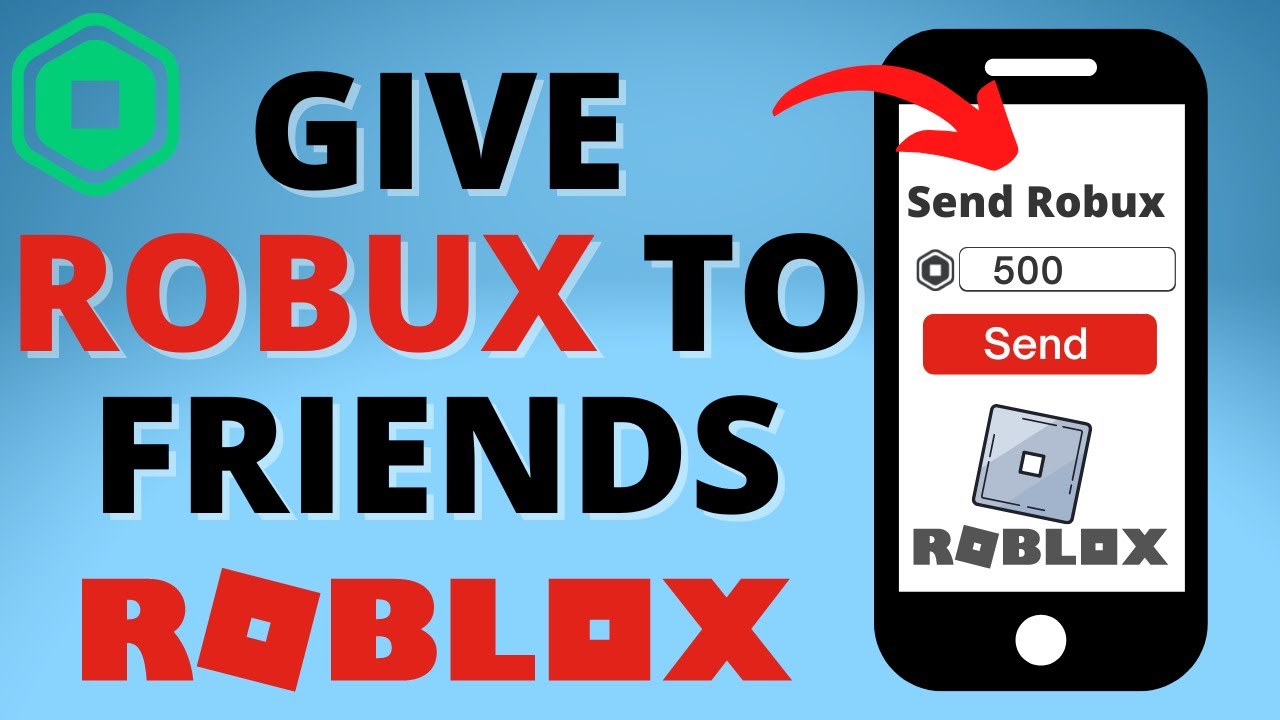
If you’ve ever tried to just “send” Robux to a friend the way you’d Venmo someone five bucks, you’ve probably run into a wall. For most of Roblox’s history, there was no simple send button — the platform deliberately avoided direct person-to-person transfers to cut down on scams and money laundering schemes that plagued the platform in its earlier years.
That changed in 2026. Roblox quietly rolled out a real peer-to-peer transfer option, and it’s changed the way players think about gifting Robux entirely. But it’s not the only way to do it, and depending on your situation — whether you’re a casual player, a group owner, or someone who just wants to surprise a friend on their birthday — one method might work a lot better for you than another.
This guide walks through every legitimate way to send Robux to a friend in 2026, what each one costs, how long it takes, and which pitfalls to avoid along the way.
Quick Answer: Can You Send Robux Directly to a Friend?
Yes — now you can, sort of. As of April 30, 2026, Roblox launched a subscription called Roblox Plus that includes a genuine “Send Robux” feature. If you’re subscribed, you can send Robux straight to another player’s account, no games, groups, or workarounds required.
If you don’t want to pay for a subscription, you’re back to the classic methods Roblox players have used for years: group payouts, game passes, trading, or gift cards. None of these are “direct” in the truest sense, but they’re all official, safe, and don’t risk your account.
Let’s break down each option in detail.
Method 1: Roblox Plus and the Send Robux Feature (The New Official Way)
This is the biggest change to hit Roblox’s economy in years, so it’s worth understanding properly before you jump into any of the older workarounds.
What Is Roblox Plus?
Roblox Plus is a monthly subscription priced at $4.99 (or the equivalent in your local currency). It’s available through the Roblox website, the App Store, and Google Play. Along with other perks, it unlocks the ability to transfer Robux directly to another user’s account from your own balance.
How Send Robux Works
- Go to your friend’s Roblox profile.
- Look for the Send Robux option (it appears on the profile page for Plus subscribers).
- Choose an amount — transfers are limited to preset amounts like 25, 50, 100, or 200 Robux per transaction.
- Confirm the transfer.
The Robux lands in your friend’s account almost instantly. There’s no waiting period, no “pending” status, and — this is the part that makes it genuinely useful — no platform fee. If you send 100 Robux, your friend receives all 100. Compare that to a game pass purchase, where Roblox keeps a 30% cut, and it’s obvious why this feature is a big deal.
Your friend does not need a Roblox Plus subscription to receive a transfer. Only the sender needs to be subscribed.
Transfer Limits
Roblox built in some guardrails to keep the feature from becoming a scammer’s playground:
- Standard limit: 500 Robux per day, 1,000 Robux per month
- With Two-Step Verification enabled: 5,000 Robux per day, 10,000 Robux per month
If you’re planning to use this feature regularly, turning on two-step verification is worth doing just for the higher ceiling — plus it’s good account security anyway.
Rules for Younger Users
Roblox has always been cautious about how younger players handle money, and that carries over to Send Robux:
- Users under 16 need a linked parent account, and a parent must approve every individual transfer before it goes through.
- Some regions require parental approval for anyone under 18, depending on local regulations.
- If a parent doesn’t approve (or doesn’t link their account within 7 days), the transfer is canceled and the Robux is returned to the sender automatically.
Is It Worth Subscribing Just to Send Robux?
If you only want to gift someone Robux once for a birthday, probably not — a gift card will get the job done without a recurring charge. But if you’re part of a friend group that regularly trades small amounts back and forth, or you like tipping friends for helping you grind out a game, the zero-fee, instant nature of Send Robux makes the $4.99/month worth considering.
Method 2: The Gift Robux Link Feature
Separately from Roblox Plus, Roblox also introduced a feature that lets someone request Robux from you via a shareable link — useful if a friend wants Robux but you’d rather not go through group payouts or game passes.
How It Works
- The person who wants Robux (the “Requestor”) goes to the Buy Robux page on desktop or web and selects Request Robux.
- They land on a Gift Robux page where they can copy a link or generate a QR code to send to you.
- You (the “Gifter”) open that link in a web browser — no Roblox account or login required on your end.
- You’ll see their username and avatar, choose a Robux package, optionally attach a message, and check out.
- You’ll need to verify your phone number to complete the purchase, then add payment details.
Once you complete checkout, the Robux appears in your friend’s balance automatically, along with a notification. They can’t decline it once it’s sent, and all purchases are final — there are no refunds.
Who Can Use This
This feature currently has some restrictions: it’s limited to select users in the United States, and the gifter must be 18 or older, located in the US, and willing to verify their phone number. It’s also web/desktop-only for now — there’s no version inside the mobile app yet.
One thing to know: the Robux packages bought this way are priced at standard rates, so if you have a Premium membership, you won’t get your usual Premium discount, and there’s no bonus Robux included the way there sometimes is with regular purchases.
Method 3: Group Payouts (The Classic Workaround)
Before Roblox Plus existed, group payouts were the go-to method for sending Robux to someone without a subscription or a direct feature, and they’re still widely used today — especially by developers rewarding teammates.
How Group Payouts Work
- Create or join a group. If you don’t already have one, go to roblox.com/groups and create a new group (this costs 100 Robux). Alternatively, join an existing group where you have admin or owner permissions.
- Fund the group. Groups earn Robux from sales of group-owned games, game passes, or items. You can also manually deposit Robux from your own balance into the group’s funds.
- Wait out the eligibility period. New members typically need to wait about 14 days before they become eligible to receive a payout — this cooldown exists specifically to prevent scam groups from popping up and disappearing.
- Send the payout. Go to the group’s Configure page, select Revenue, then Payouts. Choose One-Time Payout, enter your friend’s username, specify the amount, and confirm.
Payouts are typically fast once the group actually has funds available, though Robux from item or game sales can take a few days to clear into group funds before you can distribute it.
Why People Still Use This Method
- No subscription required. Unlike Send Robux, group payouts don’t cost anything beyond the one-time 100 Robux group creation fee (and only if you don’t already own a group).
- No per-transaction fee. Robux moved through group payouts isn’t taxed the way game pass purchases are.
- Good for recurring or team-based gifting. If you regularly reward multiple people — say, a small dev team or a Discord community — a group is much more efficient than doing individual gift cards or transfers over and over.
The Downsides
- Setting it up takes more steps than any other method on this list.
- The 14-day waiting period for new members means it’s not useful for last-minute gifting.
- You need group owner or admin permissions with payout access, which isn’t something every player has by default.
Method 4: Buying a Friend’s Game Pass or Clothing Item
This method flips the direction of the transaction: instead of sending Robux, you buy something your friend created, and the Robux from that sale (minus Roblox’s cut) lands in their account.
How It Works
- Your friend needs a published Roblox experience (a game). Inside it, they create a Game Pass — a purchasable perk or item — priced in Robux.
- They send you a direct link to the pass.
- You buy it using your own Robux balance.
- Roblox takes its standard marketplace cut — typically around 30% — and the rest is credited to your friend’s account.
So if your friend wants to end up with 100 Robux, they’d need to price the pass at roughly 143 Robux, since Roblox keeps about 30% off the top. The math isn’t as clean as a direct transfer, but for developers this has always doubled as a legitimate business transaction rather than a pure gift.
Clothing items work the same way — if your friend has a catalog item for sale, buying it sends them Robux minus the marketplace fee.
Who This Works Best For
This method only makes sense if your friend actually has a published game or catalog item. It’s not practical for a casual player who’s never touched Roblox Studio. If that’s your friend’s situation, skip ahead to gift cards or group payouts instead.
Method 5: Trading Limited Items (Premium Members Only)
If both you and your friend are subscribed to Roblox Premium, you can use the trading system to exchange limited or limited-unique items, which effectively transfers value (though not Robux itself) between accounts.
How Trading Works
- Both accounts need an active Premium membership to access trading.
- Go to your friend’s profile and select Trade.
- Add limited items from your inventory (or Robux, in some trade configurations) to the offer.
- Your friend accepts, and the trade is finalized after a short holding period.
This isn’t a way to send raw Robux, technically — it’s a way to transfer collectible items that have Robux value on the resale market. It’s mostly used by collectors and traders rather than people who just want to gift currency, but it’s worth knowing about if your friend group is into collecting limited avatar items.
Method 6: Roblox Gift Cards (The Safest, Most Universal Option)
If none of the above methods fit your situation — maybe your friend doesn’t have a published game, you don’t want a subscription, and setting up a group feels like overkill — a Roblox gift card is still one of the most reliable ways to get Robux into someone’s hands.
How to Buy and Send a Gift Card
Physical cards:
- Buy a Roblox gift card from a retailer — Amazon, GameStop, Target, Walmart, Tesco, and most major stores carry them.
- Common denominations translate roughly as follows: a $10 card gets you around 800 Robux (pricing varies slightly by region and promotions).
- Hand the card to your friend in person, or photograph the code and send it through a secure, private channel.
- They redeem the code at roblox.com/redeem, and the Robux is added to their account.
Digital cards:
- Visit the Roblox gift card page and select the option to send to a friend.
- Enter your name and your friend’s name, choose the card design and denomination.
- Enter your friend’s email address and a delivery date.
- Complete the purchase — the code is emailed directly to them.
Why Gift Cards Are the Safest Bet
- Your friend redeems the code themselves — you never need their password, login details, or account access.
- There’s no risk of a scam reversing the transaction, since it’s a one-way redemption.
- It works for literally anyone with a Roblox account, regardless of whether they own a game, a group, or a Premium subscription.
The only real downside is that it’s indirect — your friend has to take an extra step to redeem it rather than seeing Robux appear automatically.
Comparing All the Methods at a Glance
| Method | Cost/Fee | Speed | Requirements |
|---|---|---|---|
| Send Robux (Roblox Plus) | $4.99/month subscription, no per-transfer fee | Instant | Sender needs Plus; limits apply |
| Gift Robux Link | Standard Robux pricing, no bonus | Instant once purchased | US only, gifter must be 18+ |
| Group Payouts | Free (except 100 Robux group creation) | Fast, but 14-day new member wait | Group ownership/admin access |
| Game Pass Purchase | ~30% marketplace fee | Fast, may show as pending briefly | Friend needs a published game |
| Trading | None (value-for-value) | Short holding period | Both need Roblox Premium |
| Gift Cards | Retail price of the card | Depends on delivery method | None — works for anyone |
Staying Safe: What to Avoid When Gifting Robux
However you choose to send Robux, keep these safety basics in mind:
- Never share your password or login credentials with anyone claiming they can “generate” or transfer Robux for you. These are always scams, no matter how convincing they look.
- Avoid third-party websites promising free or discounted Robux transfers. Roblox has no official partnership with any outside service that bypasses its own system, and using one puts your account at real risk of being banned or hacked.
- Only send Robux, gift cards, or trades to people you actually know. Roblox itself recommends against gifting to strangers, since transfers and purchases are final and can’t be reversed.
- Double-check usernames before confirming a transfer or payout. A single typo could send your Robux to the wrong account permanently.
- Turn on Two-Step Verification if you plan to use Send Robux regularly — beyond the higher transfer limits, it’s simply good account hygiene.
Frequently Asked Questions
Can I send Robux without any subscription or setup at all? Not directly, no. Without Roblox Plus, every method involves at least one extra step — creating a group, buying a game pass, or purchasing a gift card.
Is there a free way to send Robux instantly? Group payouts are the closest thing to free and instant, but only once the group is funded and the recipient has cleared the 14-day new-member waiting period.
What happens if I send Robux to the wrong person? All Robux transfers, gift purchases, and payouts are final. Roblox does not offer refunds or reversals for accidental transfers, so always double-check the recipient before confirming.
Can minors send or receive Robux? Yes, but with restrictions. Users under 16 need a linked parent account, and a parent must approve each individual transfer. Some regions extend this requirement to users under 18.
Which method should I use for a friend’s birthday? For a one-time gift, a Roblox gift card is usually the simplest and safest choice — no subscription, no setup, and your friend redeems it whenever they’re ready.
Final Thoughts
Roblox’s approach to sending Robux has finally caught up to what players have wanted for years: a genuine, direct way to gift currency to a friend. The new Send Robux feature under Roblox Plus makes casual gifting easier than it’s ever been, but it’s not free, and it comes with monthly limits that won’t suit everyone.
For everyone else, the older methods — group payouts, game pass purchases, trading, and gift cards — remain just as valid as they always were. The right choice really comes down to how often you plan to gift Robux, whether your friend has a published game or group, and how much you’re willing to spend to make it happen instantly.
Whichever method you pick, stick to Roblox’s official tools. The moment a “shortcut” asks for your password or sends you off the platform, it’s not a shortcut — it’s a scam.

Alex Smith
I’m a dedicated gamer who loves exploring games, mastering gameplay mechanics, and sharing gaming knowledge. I stay updated with the latest releases, tips, and strategies to improve performance and enjoyment. Gaming is my passion and my skill.