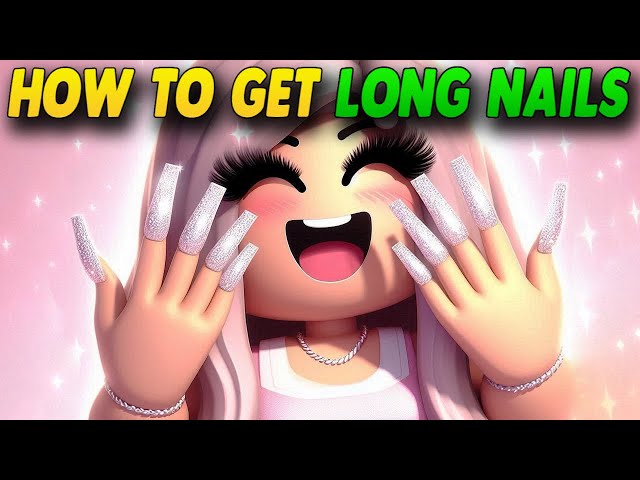
If you’ve spent any real time in Dress to Impress, you already know that winning a round isn’t just about picking a pretty dress and calling it a day. The judges (aka the other players voting) notice the small stuff. Hair texture, makeup tone, accessories, even the way your nails look when you strike a pose on the runway. And out of all the tiny details people tend to skip, nails might be the most overlooked one of all.
That’s a shame, honestly, because long nails can completely change the vibe of an outfit. A soft pastel sundress with a set of subtle, glossy nails feels put-together and intentional. Swap those out for bold, dramatic Baddie nails with a graphic pattern, and suddenly your whole look reads “confident,” “edgy,” or “runway-ready” instead of “just another player who forgot the small details.”
The problem is that long nails in DTI aren’t sitting out in the open where you’d expect them. A lot of new players search the entire wardrobe menu, give up, and assume the feature doesn’t exist. It does. It’s just tucked into a part of the game that’s easy to walk right past. This guide walks you through exactly where to go, what to click, and how to customize your nails once you’ve found them, so you’re not wasting your round timer wandering around confused.
What Is Dress to Impress, and Why Do Nails Even Matter?
Before we get into the how-to, it’s worth taking a second to appreciate what Dress to Impress actually is, especially if you’re newer to the game. DTI is a Roblox fashion competition experience where players are given a theme each round (anything from “old money” to “y2k icon” to “mermaidcore”) and a limited amount of time to build an outfit that matches it. Once time is up, everyone walks the runway one by one, and the rest of the lobby rates the look. Whoever pulls together the most cohesive, creative, and on-theme outfit tends to climb toward the top of the leaderboard, working their way from a new model up to fashionista status.
Because the whole game revolves around visual presentation, every layer of customization counts. Clothing obviously does the heaviest lifting, but hair, makeup, accessories, and yes, nails, are what separate a decent outfit from one that actually looks finished. Long, well-styled nails add a kind of polish that’s hard to fake with clothing alone. They catch the eye during your runway walk and make your character’s hands look intentional instead of like an afterthought.
If you’ve ever looked at a top-scoring player’s outfit and felt like something about it just “hit different,” there’s a decent chance nails were part of that equation, even if you didn’t consciously register them.
Where to Find the Nail Customization Station
Here’s where a lot of players get stuck. Unlike clothing or hairstyles, which are sitting right there in your main wardrobe menu, nails are handled through a separate, dedicated station inside the game’s salon area.
When a round begins, you’re dropped into the dressing room along with the rest of the lobby. This is the space where you’ll see racks of clothes, shoe displays, and menus for hair and makeup. If you only look at the obvious wardrobe interface, you’ll never stumble onto the nail options, because they’re not part of that menu at all.
Instead, you need to physically walk your character toward the salon section of the room, which is usually a smaller area set slightly apart from the main clothing racks. This is where hairstyling and makeup application happen too, so if you’ve already used those features, you’re likely to recognize the general layout. Somewhere in that salon space, you’ll find Lana, the nail artist NPC, sitting at her own dedicated nail table.
A few tips for actually locating her quickly:
- Look for a smaller, more intimate room off to the side of the main dressing area, rather than the big open space with the clothing racks.
- The nail table is typically positioned near or alongside the hair and makeup stations, since they’re grouped together as “salon” features.
- If you see a chair set up in front of a small table with nail polish bottles or a manicure-style setup, that’s your target.
- Some layouts place the table toward one side of the room specifically, so it helps to walk the perimeter rather than sticking to the center.
Once you spot Lana, walk your character up to her station. This next part matters: you’ll need to interact with her directly, not just glance at the table from a distance.
Interacting With Lana to Unlock Long Nails
This is the step where a lot of players fumble, mostly because Roblox games differ slightly in how their interaction prompts work, and it’s easy to assume you’re doing it right when you’re not.
Once you’re standing close enough to Lana’s station, you should see an interaction prompt appear, usually asking you to press E. Go ahead and press it. This will seat your character in the chair in front of Lana, which opens up the nail customization interface.
From here, you’re presented with a menu of nail style options. This is the part that trips people up if they’re used to how earlier versions of the game worked. Long nails aren’t hidden behind some secret bulletin board or side interaction anymore. Instead, they’re built directly into the menu you get once you sit down in Lana’s chair. You’ll typically find a scrollable or side-by-side list of nail shapes, ranging from the short, rounded default style all the way up to the more dramatic, elongated options.
A practical tip here: if you’re scanning the list and only seeing shorter, more “natural” nail shapes, keep scrolling or checking further down the menu. The longer, more exaggerated styles (the ones people usually mean when they say “Baddie nails”) tend to be positioned toward the end of the list rather than right at the top. Developers often organize these menus from most basic to most dramatic, so patience pays off here.
Once you spot a long nail style you like, simply select it. Your character’s nails should update immediately, giving you a live preview right there in the chair.
Customizing Color and Pattern
Getting the shape sorted is really only half the job. Long nails on their own can look a little plain if you don’t take the extra minute to match them with your outfit’s color scheme or aesthetic. Fortunately, Lana’s station doesn’t just hand you a shape and send you on your way. It also opens up a full customization suite for color and pattern, similar to what you might already be used to from hair or makeup menus.
Choosing a Color
After you’ve picked a nail shape, look for a secondary menu, usually positioned to the side of the shape selection, dedicated to color. You’ll generally have two main ways to pick a shade:
Preset palettes — These are curated color groupings, often organized by theme or mood (think soft neutrals, jewel tones, pastels, or bold brights). If you’re short on time and just need something that reads as cohesive, palettes are the fastest route.
Color wheel — For players who want precision, the color wheel lets you dial in an exact shade, which is especially useful if you’re trying to match a very specific outfit color rather than just something “close enough.”
If your outfit leans toward a particular theme, like an all-white “clean girl” look or a jewel-toned “old money” aesthetic, matching your nail color to that palette makes a noticeable difference in how finished the whole outfit feels.
Applying a Pattern
Beyond flat color, DTI’s nail customization also usually includes a pattern tab. This is where you can layer in details like:
- French tip styles
- Ombre gradients
- Glitter or shimmer finishes
- Abstract or graphic prints, depending on what’s currently available in the menu
Patterns pair especially well with long nails specifically, since the extra surface area on longer nail shapes gives the design more room to actually show up and read clearly from a distance, which matters when judges are viewing your character during the runway walk.
A styling tip worth keeping in mind: simpler patterns tend to work better with already-busy outfits, while a plain nail color can be a nice canvas for a bold pattern when your outfit itself is more minimal. Balance is generally what reads best to other players.
A Note on the Old Method (In Case You’ve Seen Conflicting Guides)
If you’ve searched around and found older tutorials mentioning a hidden bulletin board behind Lana with posters you had to click to unlock long nails, don’t worry, you’re not doing anything wrong if that method doesn’t work anymore. Dress to Impress has gone through updates over time, and the way long nails are unlocked has been streamlined since earlier versions of the game.
In older builds, players had to walk around behind the nail station and specifically click on a poster reading something along the lines of “With My Baddies” to unlock the long nail option, and even then, changing the color required going back to that same board rather than using the normal customization tools. It was a clunky, easy-to-miss process, and understandably confused a lot of players.
The current version simplifies this considerably. Long nails, along with their full color and pattern customization, are now built directly into Lana’s main interaction menu. You shouldn’t need to hunt down any hidden posters or secondary boards. If you’re following a guide that mentions clicking on wall posters and it isn’t working, that’s likely just an outdated version of the instructions, and you should default to the direct interaction method described above.
Step-by-Step Recap
If you just want the quick-reference version without all the explanation, here’s the process laid out plainly:
- Start your round and spawn into the dressing room as usual.
- Head toward the salon section of the room, typically a smaller area near the hair and makeup stations.
- Locate Lana’s nail table, often positioned along one side of the salon space.
- Walk up to the table and press E to sit down and open the nail menu.
- Browse the available nail shapes, scrolling toward the longer, more dramatic styles if the default short options are what’s showing first.
- Select your preferred long nail shape.
- Open the color menu and choose a shade, either from a preset palette or the color wheel, ideally something that complements your outfit.
- Check the pattern tab if you want to add extra detail like tips, gradients, or textures.
- Press spacebar (or the game’s designated “confirm/exit” input) once you’re happy with the look to stand back up from the chair.
- If you get bumped out of the chair before finishing, don’t panic, just walk back up and press E again to resume.
Styling Tips: Making Long Nails Work With Your Outfit
Unlocking long nails is really just step one. Knowing how to actually use them well is what separates an outfit that looks intentional from one that just looks busy. Here are a few things worth keeping in mind as you build your look.
Match your nail length to your theme. Not every round calls for dramatically long, exaggerated nails. If you’re going for something like a “business professional” or “old Hollywood glamour” theme, a slightly shorter, more elegant long nail style might read better than an extreme, ultra-long Baddie shape. Save the most dramatic lengths for themes like “baddie,” “y2k,” or anything explicitly bold and maximalist.
Coordinate, don’t necessarily match. Your nails don’t always need to be the exact same color as your dress. Sometimes a complementary or contrasting shade actually makes the whole outfit pop more than an exact match would. Think about how real fashion styling works: a neutral outfit with a single bold pop of nail color can look more intentional than head-to-toe matching.
Use patterns sparingly if your outfit is already detailed. If you’re wearing something with a lot of visual noise (prints, layered accessories, bold makeup) a simpler nail color might actually serve the look better than adding another pattern into the mix. Reserve the flashier nail patterns for more streamlined outfits where they can stand out.
Don’t skip this step even under time pressure. It’s tempting to rush through rounds and skip smaller details like nails when the clock is ticking, but since the salon station takes less than a minute to use once you know where it is, there’s rarely a good reason to leave this detail out entirely.
Common Mistakes to Avoid
Even once you know where to go, a few small missteps can slow you down or leave you with a look you didn’t intend.
Forgetting to actually sit in the chair. Just standing near Lana’s table isn’t enough. If you don’t see the interaction prompt, try adjusting your character’s position slightly and pressing E again.
Assuming long nails aren’t available in your server. In rare cases, ongoing updates or bugs might cause temporary display issues. If nail options seem oddly limited, it’s worth restarting the round or rejoining the server before assuming the feature is broken.
Overlooking the color and pattern step entirely. Some players get excited about finding the long nail shapes and immediately hop out of the chair without adjusting color, leaving their nails a plain default shade that clashes with the rest of the outfit.
Confusing nail customization with hand accessories. Long nails are a separate feature from rings, gloves, or other hand-related accessories you might find in the main wardrobe menu. If you’re trying to layer a ring on top of your nails and it’s not showing correctly, double check you’re looking in the right menu for each item.
Final Thoughts
Long nails are one of those details in Dress to Impress that seem minor until you actually start paying attention to how much they affect the overall read of an outfit. A sharp, well-matched manicure can be the difference between a look that feels complete and one that feels like it’s missing something, even if you can’t immediately put your finger on what.
The good news is that once you know Lana’s station is tucked into the salon area and that everything, shape, color, and pattern, is handled right there in one interaction, there’s really no reason to skip this step in future rounds. It takes less time than picking out shoes, and it adds a surprising amount of polish for such a small effort.
Next time you’re building a themed look, whether it’s soft and romantic or bold and dramatic, take that extra minute to swing by the nail table. Your runway walk will thank you for it.

Alex Smith
I’m a dedicated gamer who loves exploring games, mastering gameplay mechanics, and sharing gaming knowledge. I stay updated with the latest releases, tips, and strategies to improve performance and enjoyment. Gaming is my passion and my skill.